



Days on Purpose
Most days just happen. Some days, you choose.
A calmer way to use your phone, with more of your days spent on what you care about. A private preview, with a few friends.
Start with one small change. Use the apps that help. Leave the rest.
Days on Purpose on the web · Scroll on Purpose, Train on Purpose and Doorway on Android · no iPhone apps

Not more time. Better days.
Make room for what matters.
The point isn’t a tidier phone. It’s the hours that come back, spent on the things you’d pick if you stopped to pick.
-




An early run, before the phone wakes up. -



A long dinner where nobody checks anything. -




A whole chapter, in one sitting. -




The Greek you keep meaning to learn, and somewhere to use it. -




The long way home. -




An afternoon that belongs to them. -




Training because you want to.

Yours to choose.
Small, on purpose
The whole idea fits on one hand.
- 1thing to start with. One is plenty.
- 4small apps. Use the ones that help.
- 2hours at most. A Vow always lets go.
- 0analytics, cookies or trackers on this site.





How it works
Choose what matters. Make room for it. See what you did.
Nothing here asks you to optimise your whole life. You pick one thing, the phone gets a little quieter around it, and afterwards you can see that it happened.
-
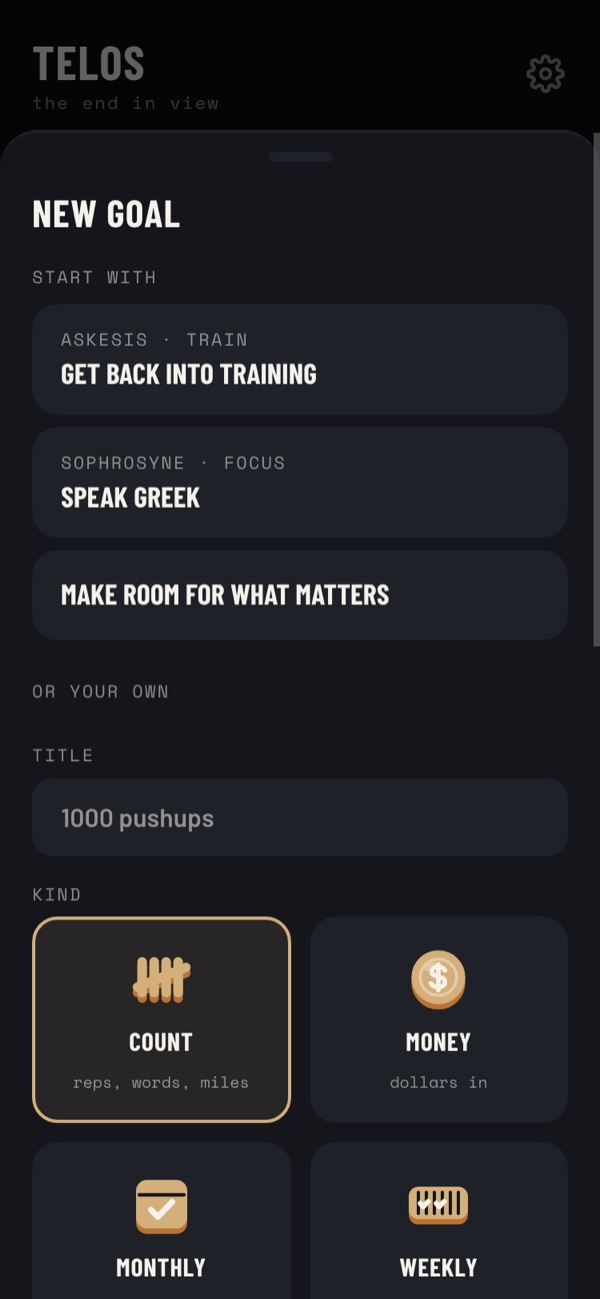
Days on Purpose, web · synthetic test account · Sept 2026 01 · Choose
Pick one thing that matters
In the Days on Purpose web app, choose a starting point or write your own goal. One is plenty.
-
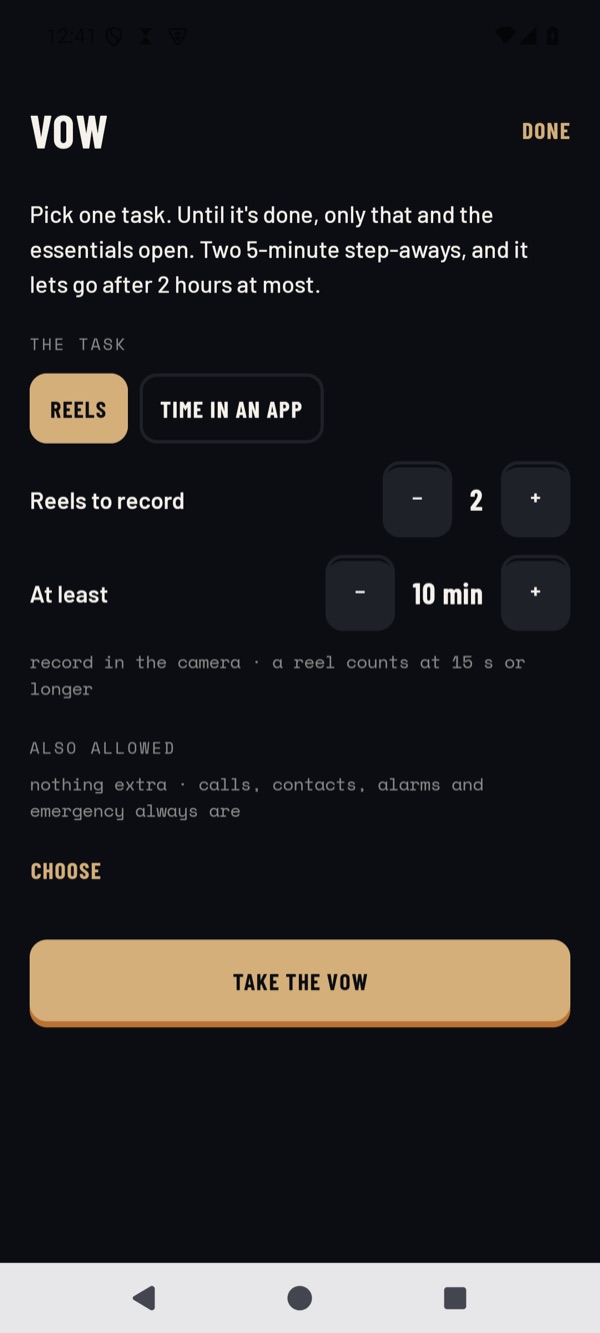
Scroll on Purpose, Android · emulator, synthetic data · Sept 2026 02 · Make room
Give it some quiet
Scroll on Purpose can keep the scrolling apps out of the way for a while. Calls, alarms and emergency always work, and it lets go on its own.
-
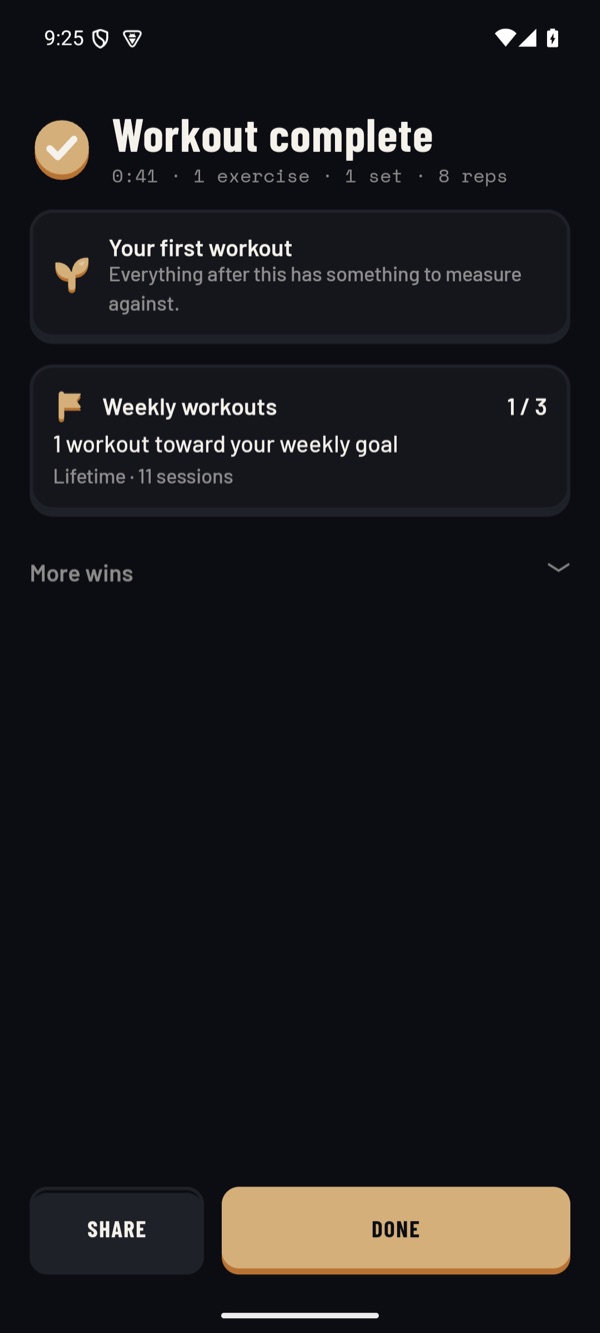
Train on Purpose, Android · emulator, synthetic data · Sept 2026 03 · See it
See what you did
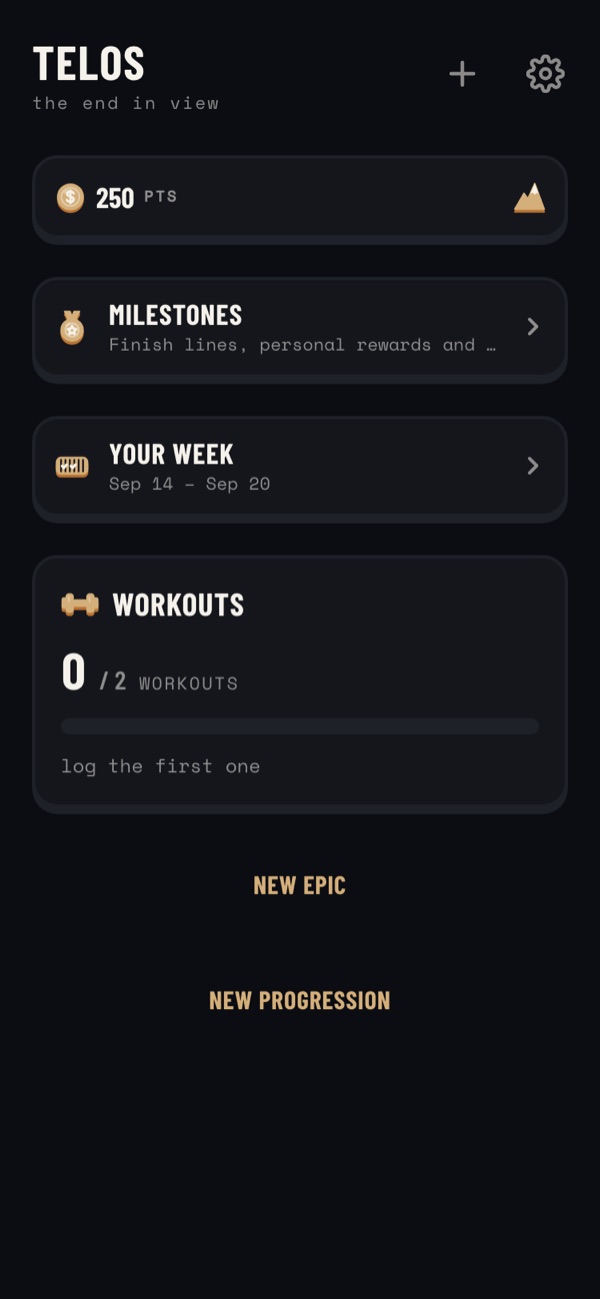
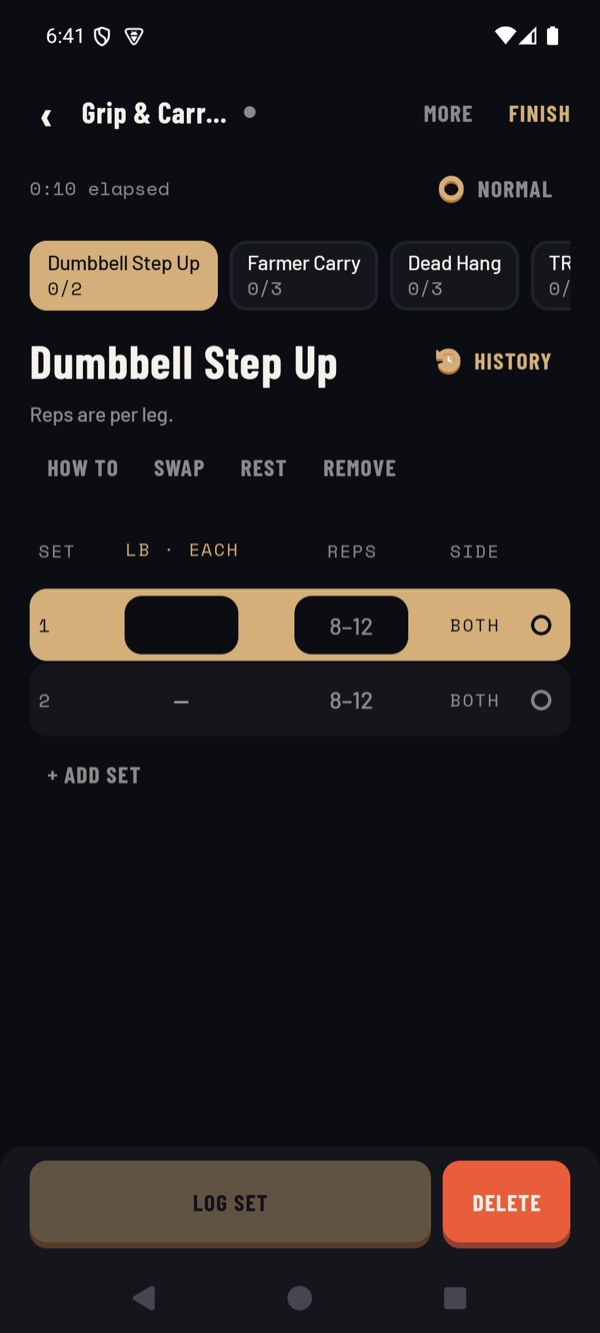
What you did shows up where it belongs — here, one workout toward a weekly goal. No streak to protect.


The apps
Four small apps. Use the ones that help.
Days on Purpose
Direction · the web app
Decide what this season is for.
The Days on Purpose web app holds the few goals you care about right now and shows your week at a glance. The other apps can count toward it, but you can use it on its own.
- Set a goal from a starting point or your own words.
- Log small actions and see the week, not a leaderboard.
- Connect an app only if it helps.
- Web browser
- Invite-only preview
What it needs: an invitation, and a Google account with the address the invitation was sent to.
Scroll on Purpose
Intentional screen time
Decide how much the scrolling gets.
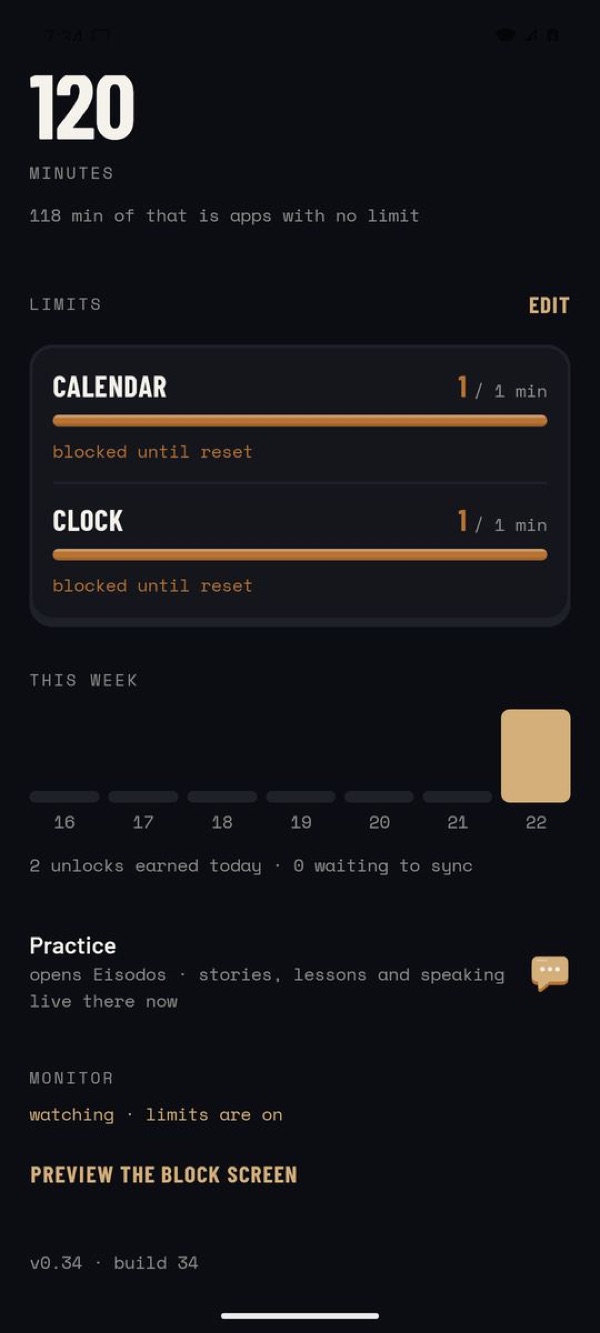
Choose the apps that tend to swallow your evening and give them a daily limit. When the time is used, a quiet screen asks you to do something you chose first — and doing it earns time back.
- Daily limits on the apps you pick. Everything else is left alone.
- A Vow keeps just one task open until it’s done, for two hours at most.
- Phone calls, settings and emergency are never blocked. You can make it lighter, change any limit, or uninstall it normally.
- Android
- Private preview
- Works with Days on Purpose
What it needs: usage access, display over other apps, and an accessibility service that only notices which app is open — it doesn’t read your screen. Android asks for each one; the app explains why first.

Train on Purpose
Training — optional
Log a workout without breaking your stride.
If moving your body is one of the things you’re making room for, Train on Purpose records sets quickly between exercises and keeps your history safe on the phone. If it isn’t, skip it.
- Fast set logging, rest timer and plain history.
- Works without an account or a connection.
- Optionally counts workouts toward a Days on Purpose goal.
- Android
- Private preview
What it needs: nothing to get started. The microphone only if you turn on counting reps out loud.






Doorway
Modern Greek through stories — optional
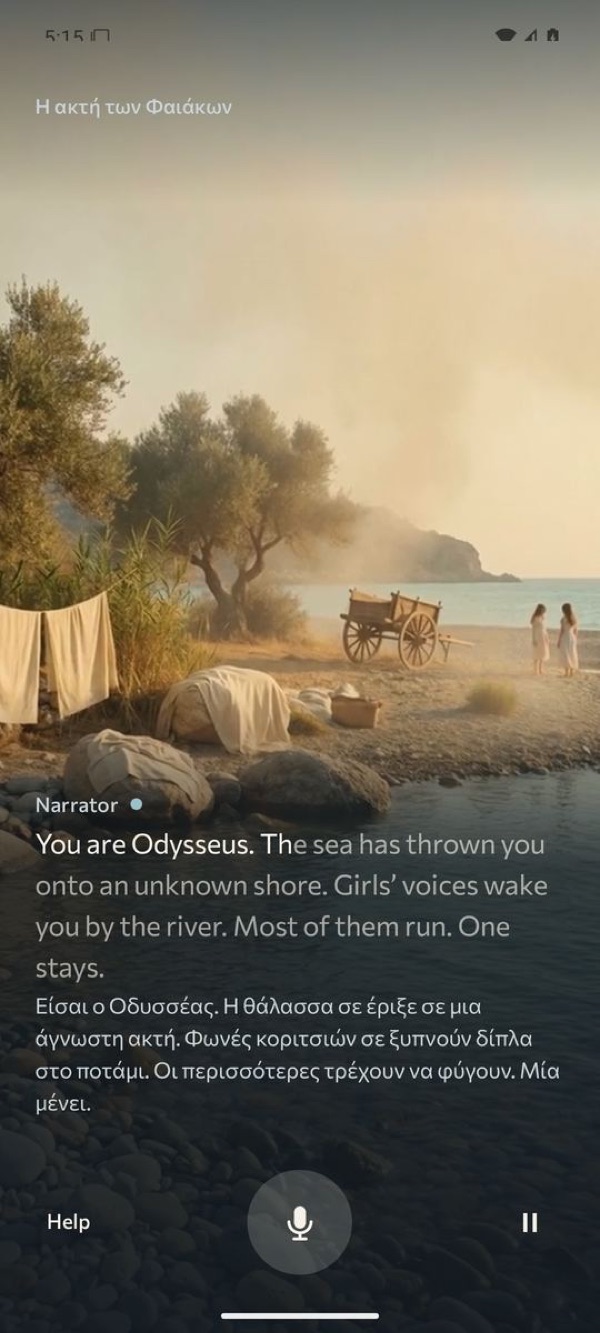
Step into a story and speak Greek.
You play a character in a short illustrated scene, and the others answer you in Modern Greek. A scene takes a few minutes, and there’s help whenever you need the English.
- Short scenes you can finish in one sitting, at the level you choose.
- Practice lessons alongside the stories.
- Only if Greek is something you want — nobody has to.
- Android
- Private preview
What it needs: the microphone, so you can speak. Your phone’s own speech service turns your voice into words; Doorway doesn’t upload your audio — see Privacy.
Start with one
You don’t need all four.
Most people should start with the Days on Purpose web app and one goal. Add Scroll on Purpose if your phone is the thing in the way. Training and Greek are there if they’re yours — they’re choices, not requirements.
If you do use more than one, they can connect — only when you ask them to:
- Train on Purpose → Days on Purpose. A finished workout can count toward a Days on Purpose goal, so you don’t log it twice.
- Scroll on Purpose ↔ Days on Purpose. Doing the thing you chose earns screen time, and it shows up against your goal.
- Doorway → Scroll on Purpose. A short Greek practice can be one of the ways to earn time back.

Not invited?
This is a small private preview.
Right now the apps are being tried by about five friends of the person who makes them, to find out what’s confusing and what actually helps. There’s no public sign-up and no waitlist yet — we’re not collecting email addresses on this site.
If you know the maker and you’d like to try it, ask them directly. Otherwise, thank you for looking; this page will say so when that changes.
Questions
The practical bits.
How do invitations work?
The maker adds your email address to the Days on Purpose web app and sends you a message with the links. You sign in to it with a Google account using that address. A link on its own doesn’t get anyone in — there are no secret URLs.
Does it cost anything?
No. During the preview there’s nothing to pay, no ads and no in-app purchases. If that ever changes, you’ll be told well before anything is asked of you.
Which phones does it work on?
The Days on Purpose web app works in a modern web browser on a phone or computer. Scroll on Purpose, Train on Purpose and Doorway are Android apps, installed from a private download rather than the Play Store for now. There are no iPhone apps.
What permissions do the apps ask for?
Scroll on Purpose needs usage access, permission to show over other apps and an accessibility service, to notice which app is open and show its screen. It also asks for notifications. Some optional challenges ask for more — location for a walk, the camera for recording, the microphone for counting reps, Health Connect for steps and sleep — only when you choose them.
Train on Purpose needs nothing to start; the microphone only if you count reps out loud, and Google Drive or Health Connect only if you turn them on. Doorway needs the microphone to hear you speak, and the camera only for its optional look-around challenges. You can say no, and each app tells you what won’t work without it.
What stays on my phone, and what goes online?
Your app limits and screen-time minutes stay on your phone. Your Days on Purpose goals and progress are stored online so you can see them anywhere. If you connect an app, it sends Days on Purpose what it needs to count your progress, and Train on Purpose syncs your whole training log. Even without an account, each app asks our server which features are switched on, and a few things, like race searches and support messages, go through it. When you speak in Doorway or count reps out loud, your phone’s own speech recogniser does the listening, and the apps don’t upload your audio. The privacy page lists exactly what’s sent and every service involved.
Can I pause or stop?
Yes, always. Scroll on Purpose has a “Make it lighter” option and limits you can raise or remove, a Vow ends on its own after two hours at most, and every app uninstalls the normal Android way. Nothing locks you in, and stopping isn’t failing. How to pause or stop.
How do I delete my data?
Uninstalling an Android app removes what it kept on your phone. For your Days on Purpose account and anything stored online, ask the maker and it will be deleted by hand — there’s no self-service button yet. How deletion works.
Does this site track me?
No. This site has no analytics, cookies or trackers, and loads nothing from other companies. Inside the Days on Purpose web app, preview research events are only collected if you agree to them in Settings, and you can delete them there.
Start with one small change.
If you’ve been invited, the start page walks you through it in a few minutes.